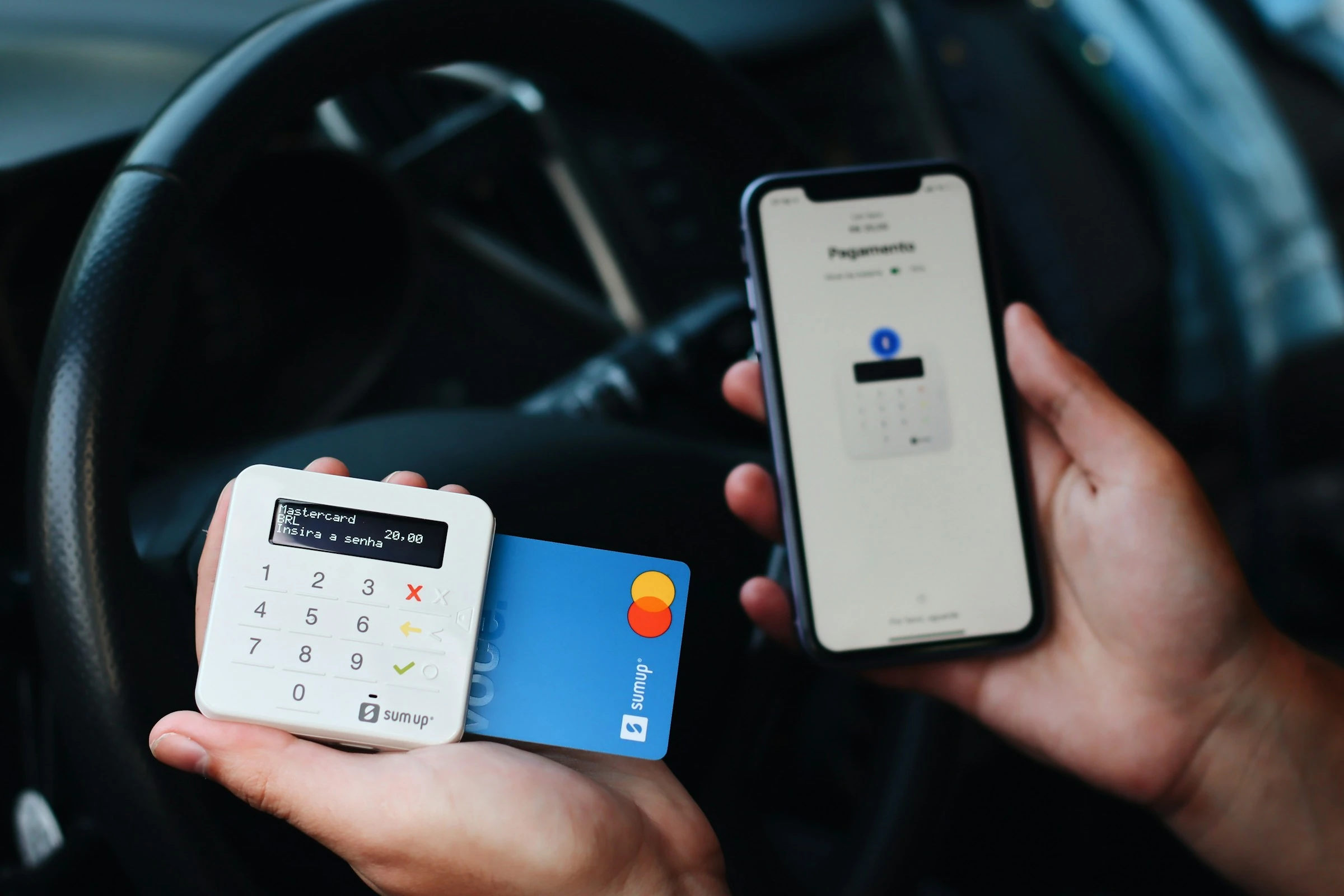

One day can make a meaningful difference to a purchase decision. In 2024, 20% of UK adults—around 10.9 million people—used Buy Now, Pay Later services, up from 17% in 2022, according to the Financial Conduct Authority’s Financial Lives survey. Easy credit, saved payment details and one-click checkout can make an unplanned purchase feel almost effortless.
The 24-hour buying rule adds a deliberate pause. Instead of buying a non-essential item immediately, you record it in a reminder app and wait a full day. When the notification arrives, you review the purchase with a clearer head.
The method is simple, but the choice of app matters. A good purchase reminder app should let you save the price, product link, reason for buying and review time without creating a complicated budgeting system.
What Is the 24-Hour Buying Rule?
The 24-hour rule is a personal spending boundary:
When you want something that is not essential, wait at least 24 hours before paying for it.
It is best suited to clothes, gadgets, home accessories, hobby equipment, takeaway upgrades and other discretionary purchases. It should not delay groceries, medicines, urgent repairs or items you have already planned and budgeted for.
During the waiting period, you are not promising to reject the purchase. You are simply postponing the final decision.
That pause matters because people naturally give more weight to immediate rewards. Joseph Kable, a cognitive neuroscience researcher at the University of Pennsylvania, explains: “People and other animals tend to discount outcomes in the future, relative to outcomes that are immediate.” (TIME)
A reminder changes the decision from “Do I want this now?” to “Does this still make sense tomorrow?”
The exact 24-hour period is a practical rule of thumb, not a scientifically proven threshold. For expensive purchases, extending the wait to seven or 30 days may be more appropriate.
Why Use an App Instead of Leaving Items in Your Cart?
An online cart keeps you close to the checkout. It may also expose you to countdown timers, stock warnings and follow-up emails. A reminder app moves the decision into a more neutral space.
It also creates a record. If you repeatedly save similar products, you can spot spending triggers that an abandoned cart would not reveal.
That visibility is valuable when household finances already feel tight. In January 2024, 28% of UK adults said they were not coping financially or were finding it difficult to cope, according to the FCA’s cost-of-living research. Meanwhile, the US Federal Reserve reported that only 63% of adults could cover a hypothetical $400 emergency expense entirely with cash or its equivalent in 2024 (Federal Reserve).
A reminder app will not solve financial pressure, but it can stop avoidable purchases from competing with savings and essential bills.
A Simple Setup That Works in Any Reminder App
Create a list called 24-Hour Purchase Review. For every unplanned, non-essential purchase, add one task using this format:
Review: Wireless headphones
Price: £89
Found at: 7:30 pm on Sunday
Reason: My current pair is uncomfortable
Product link: [URL]
Budget category: Personal spending
Set the reminder for exactly 24 hours after you first wanted to buy the item. Then close the shop or remove the item from your cart.
When the reminder appears, answer five questions:
- Do I still want this?
- Do I already own something that performs the same job?
- Can I pay without borrowing or disturbing essential savings?
- Is the total price reasonable after delivery, subscriptions and accessories?
- Would I rather keep the money for an existing financial goal?
Mark the task as complete only after choosing one of three outcomes: buy, delay again or skip. If you skip it, add the price to a monthly “money not spent” total—but do not treat that amount as spare money to spend elsewhere.
Five Practical Reminder Apps
I assessed each app against the same purchase-review workflow: create a dedicated list, record a product and price, attach a link, and schedule a notification 24 hours later. The differences were most noticeable in speed, household sharing and how easily waiting items could be filtered.
1. Apple Reminders: Best for Apple Households
Apple Reminders is the easiest option when you already use an iPhone, iPad or Mac. Create a 24-Hour Rule list, add the product details and schedule a date-and-time notification for the following day.
Tags are particularly useful. Adding #waiting, #approved or #skipped lets you filter purchase decisions across multiple lists. Apple confirms that tags can be combined with Smart Lists to organise and filter reminders (Apple Support).
For a family, you can share the purchase list and assign individual entries. However, reminder notifications themselves are personal rather than automatically shared, so each person should set their own alert. Apple documents this distinction in its shared-reminder guidance.
Practical setup: Add “Review £65 trainers,” paste the shop link into the notes, apply #waiting, and schedule the reminder for tomorrow at the same time.
Pros
- Fast to use on Apple devices
- Tags and Smart Lists make past decisions easy to review
- Shared lists and assignments suit couples and families
- Links can be stored directly with the reminder
Cons
- Much less convenient for households mixing Apple and Android devices
- Notifications are not automatically shared with everyone on a list
- A long list can become untidy without consistent tags
2. Google Tasks: Best for Google Calendar Users
Google Tasks offers a clean, low-friction workflow. Add the purchase as a task, enter the price and link in the details, then set the date and time for 24 hours later.
Dated tasks appear in Google Calendar, and tasks with a specific time generate a notification at that time. Google also supports repeating tasks, although subtasks cannot repeat (Google Tasks Help).
The Calendar connection was the main advantage in this workflow. Your purchase review appears alongside real appointments, which makes the waiting period feel like a scheduled financial decision rather than a vague intention.
Practical setup: Create a list named “Purchase Reviews,” add “Decide on £120 coffee machine,” and schedule it for the same time tomorrow.
Pros
- Straightforward interface with little setup
- Purchase reviews appear in Google Calendar
- Works across common desktop and mobile platforms
- Suitable for people already using Gmail and Calendar
Cons
- Fewer filtering and project-management options than specialist task apps
- Shared household purchase management is less direct than in Apple Reminders or Microsoft To Do
- Calendar visibility can become cluttered if you log many small purchases
3. Microsoft To Do: Best for Shared Family Decisions
Microsoft To Do works well when purchases need discussion between partners or family members. You can create a shared list, invite people through a link and assign tasks to individual members. Microsoft supports sharing between personal Microsoft accounts and within the same workplace or educational organisation (Microsoft Support).
Each purchase can have a separate due date and reminder. Scheduled entries also appear in the Planned smart list, making pending decisions easy to find (Microsoft Support).
The separate reminder and due-date fields are useful. You might set the reminder after 24 hours but make the final decision due at the weekend, when both partners have time to discuss it.
Practical setup: Add “Review £250 garden furniture,” assign it to the person researching the purchase, and include a checklist for price, measurements and delivery charges.
Pros
- Strong shared-list and assignment features
- Separate reminders, due dates, notes and steps
- Planned view gathers pending purchases automatically
- Integrates naturally with Microsoft and Outlook accounts
Cons
- Everyone joining a personal shared list needs a Microsoft account
- More features than a single user may need for a basic waiting list
- Moving an assigned task between lists removes its assignment
4. Todoist: Best for Detailed Spending Rules
Todoist is the most flexible option for someone who wants different waiting periods for different price levels. Its natural-language input recognises dates, so you can create entries such as:
Review £45 jacket tomorrow at 7 pm
Todoist supports date-and-time reminders, recurring reminders and location reminders, although the exact feature set varies by plan and platform. Its official reminder guide explains the available reminder types and notes that recurring reminders cannot currently be created in the Android app (Todoist Help).
Labels make it easy to create price-based rules:
@24hoursfor smaller discretionary purchases@7daysfor items over £100@30daysfor major upgrades@discussfor shared household decisions
Todoist’s current free plan includes task reminders, while features such as custom reminders and advanced filtering are reserved for higher plans (Todoist pricing).
Practical setup: Create a “Buying Pause” project, label each item by waiting period, and use the description for your reason, budget category and product link.
Pros
- Quick natural-language task entry
- Good labels, filters and project organisation
- Suitable for tiered 24-hour, seven-day and 30-day rules
- Available across major mobile and desktop platforms
Cons
- Some advanced reminder and filtering options require a paid plan
- The number of options can feel excessive for a simple shopping list
- Recurring-reminder setup has platform-specific limitations
5. Any.do: Best for a Simple Cross-Platform Routine
Any.do balances a friendly interface with useful planning features. One-time reminders are available across Android, iOS, web and desktop, and its Quick Add feature can interpret phrases such as “Review new shoes tomorrow at 6 pm.” Basic recurring reminders are also included in the free plan (Any.do Help Center).
Its My Day view can help you review only the purchases that have reached the end of their waiting period. That prevents future decisions from distracting you.
Any.do also offers location reminders on paid plans. These could remind you to reconsider an item when arriving at a particular shop, although a personal task cannot use a location reminder and a time-based reminder simultaneously (Any.do Help Center).
Practical setup: Add “Review £35 kitchen organiser tomorrow at 4 pm,” save the product link in the notes and leave the task outside My Day until the review date arrives.
Pros
- Clean and approachable design
- Works on major mobile and desktop platforms
- Natural-language Quick Add speeds up entry
- My Day keeps current decisions separate from future ones
Cons
- Advanced recurring and location reminders require a paid plan
- Personal tasks support only one reminder
- Location and time-based reminders cannot be combined on the same task
Which App Fits Your Spending Style?
| Your situation | Best fit | Main reason |
|---|---|---|
| You use only Apple devices | Apple Reminders | Fast setup, tags and shared iCloud lists |
| You live in Google Calendar | Google Tasks | Purchase reviews appear directly in your schedule |
| Your family discusses larger purchases | Microsoft To Do | Shared lists, assignments and task steps |
| You want different rules by price | Todoist | Labels, filters and flexible dates |
| You want a simple cross-platform routine | Any.do | Easy entry and a focused daily view |
The most effective app is usually the one you already open every day. A feature-rich system will not help if recording a purchase feels like work.
Make the Rule Practical for a Household
Couples and families should agree on the rule before using a shared list. Otherwise, the reminder can feel like one person is seeking permission from another.
Define four points together:
- Scope: Which purchases count as non-essential?
- Threshold: Does the rule apply to everything or only purchases above £20, £50 or another amount?
- Waiting period: Is 24 hours enough for all items?
- Decision owner: Can one person approve the purchase, or do larger expenses require discussion?
A workable structure might use 24 hours for purchases between £25 and £99, seven days for £100 to £499, and a full budget discussion for anything higher. These thresholds are examples, not universal financial recommendations.
Trends Making a Buying Pause More Relevant
Shopping and task apps are both reducing friction—but in opposite directions.
Retailers offer saved cards, instalment credit and fast checkout, while reminder apps increasingly support natural-language entry, shared lists, location alerts and AI-assisted task creation. Any.do, for example, now documents an integration that can create and manage reminders through ChatGPT (Any.do Help Center).
Buy Now, Pay Later is also receiving closer oversight. In the UK, Deferred Payment Credit entered FCA regulation on 15 July 2026, bringing affected lenders under new regulatory requirements (FCA). Regulation can improve consumer protection, but it does not answer the personal question of whether a purchase belongs in your budget.
The practical trend is clear: as paying becomes faster, intentional spending tools need to create useful friction.
Common Mistakes to Avoid
The 24-hour buying rule becomes less effective when you:
- Keep checking the product page throughout the waiting period
- Use a sale deadline as automatic justification
- Divide a purchase into instalments without considering its full price
- Mark every attractive product as a “need”
- Buy an alternative immediately instead of waiting
- Treat skipped purchases as newly available spending money
- Ignore recurring costs such as memberships, refills or accessories
Too many alerts can also weaken the habit. Use one notification at the end of the waiting period rather than repeatedly reminding yourself about the product.
A Calmer Way to Decide
The 24-hour rule does not ban enjoyable purchases. It separates the first emotional reaction from the final financial decision.
Apple Reminders and Google Tasks keep the process simple. Microsoft To Do supports household discussion, while Todoist offers detailed rules and Any.do provides an approachable cross-platform routine. Whichever app you use, the core process stays the same: record the full cost, leave the checkout and reconsider the purchase after the waiting period.
Sometimes the answer will still be yes. The difference is that it becomes a considered yes rather than an automatic one.
References
- Any.do Help Center — Any.do and ChatGPT
- Any.do Help Center — Location Reminders for Personal Tasks
- Any.do Help Center — Personal Reminders
- Apple Support — Share and Assign Reminders
- Apple Support — Tag Items in Reminders
- Federal Reserve — Economic Well-Being of US Households in 2024
- Financial Conduct Authority — Buy Now, Pay Later
- Financial Conduct Authority — Financial Lives 2024 Key Findings
- Financial Conduct Authority — January 2024 Cost-of-Living Survey
- Google Tasks Help — Create and Manage Tasks in Google Calendar
- Microsoft Support — Add Due Dates and Reminders in Microsoft To Do
- Microsoft Support — Create and Share Lists
- TIME — Why Online Shopping Makes You So Happy
- Todoist — Plans and Pricing
- Todoist Help — Introduction to Reminders