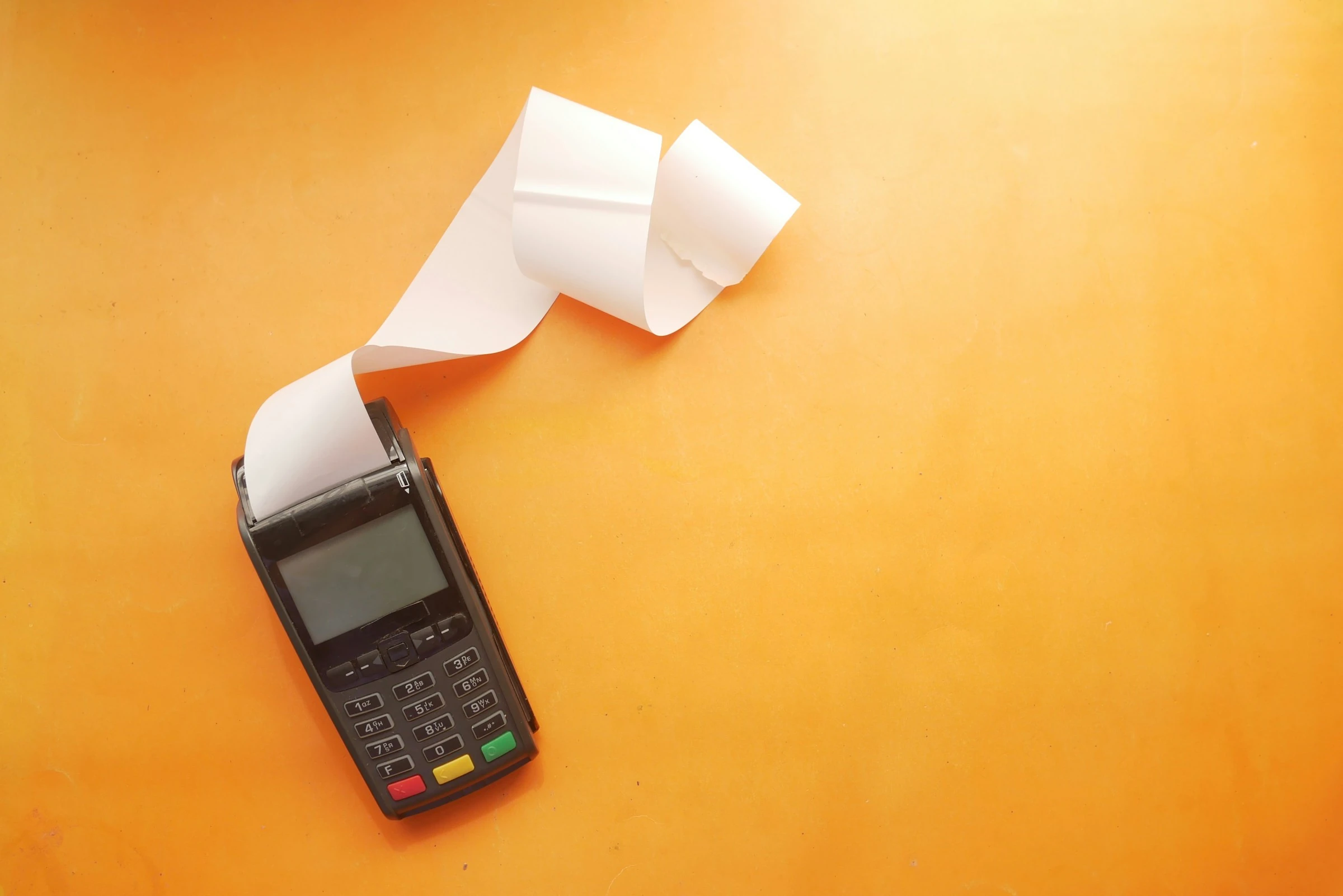

A small checkout mistake does not feel dramatic until it keeps happening. In the FTC’s scanner-price study, 2.24% of checked items scanned higher than the posted or advertised price, while the total scanner error rate was 4.82% across more than 17,000 items at 294 stores (FTC). That means receipt checking is not just “being picky.” It is a practical money habit.
And the pressure is real. U.S. households spent an average of $78,535 in 2024, according to the Bureau of Labor Statistics (BLS). Food is still one of the big repeat expenses, and USDA ERS reported that grocery prices rose 2.6% per year on average from 2005 to 2024 (USDA ERS). When prices are moving, sale tags change fast, loyalty discounts fail, and receipts become your best evidence.
As the FTC put it in its scanner-price release: “consumers can protect themselves by paying close attention to the prices they are charged” (FTC).
What “catching overcharges with receipt apps” really means
Receipt apps do not all work the same way. Some scan your receipt and store it. Some read line items with OCR. Some match purchases to cashback offers. Some help you export your spending into a spreadsheet.
For catching store overcharges, you are mainly using them to:
- Save a clean digital copy of the receipt before it fades or gets lost
- Search past receipts by store, date, or item
- Compare shelf prices, app prices, coupons, and loyalty discounts against what you paid
- Keep proof ready when you ask customer service for a refund
- Track repeat pricing errors at the same store
The basic workflow is simple:
- Take a photo of the shelf tag or sale sign when the deal looks easy to miss.
- Scan the receipt right after checkout.
- Check sale items, multi-buy offers, weighted produce, meat, pharmacy items, and loyalty discounts first.
- Flag anything that does not match.
- Bring the receipt and shelf-photo proof to customer service.
This is especially useful for families doing big weekly shops. A $1.50 error on one item is annoying. A few missed discounts across a month can be real money.
Why overcharges still happen
Most overcharges are boring, not sneaky. Stores update thousands of prices, run short promotions, change digital coupons, and manage loyalty pricing. The FTC noted that a typical food, drug, or discount store may stock up to 40,000 items and change prices on hundreds each week (FTC).
Common receipt mistakes include:
- Sale price not applied
- Loyalty-card price missing
- Digital coupon not clipped or not recognized
- “Buy one, get one” discount applied incorrectly
- Clearance tag not updated in the register
- Wrong produce code entered
- Weighted meat or deli item priced under the wrong label
- Online grocery price different from in-store price
Consumer Reports has also reported modern examples of sale-item overcharging, including a 2025 investigation into Kroger-owned stores and price-tag errors (Consumer Reports). So yes, this still matters.
The best receipt apps I tested for catching overcharges
These five apps are useful in different ways. None of them magically audits every shelf tag for you. The best setup is usually one receipt archive app plus one rewards or price-checking app.
1. Fetch: Best for quick receipt capture
Fetch is one of the easiest receipt apps to use. In my test, it felt like the fastest option when I wanted to scan a grocery receipt before leaving the parking lot. You snap the receipt, the app reads it, and you earn points. Fetch says you can earn points from receipts across grocery stores, restaurants, clothing retailers, and more, with a minimum of 25 points per receipt (Fetch Help).
For overcharges, Fetch is useful because it encourages you to scan every receipt. That creates a habit and a backup record.
Best for: families and singles who want a low-effort receipt habit.
Pros
- Very fast receipt scanning
- Works with many everyday receipts
- Rewards make the habit feel worthwhile
- Good for keeping a basic record of purchases
Cons
- Not built as a detailed price-audit tool
- Rewards are points, not instant refunds
- You still need to compare prices manually
- Item-level detail can vary by receipt quality
How I’d use it: Scan every receipt, then immediately check the items you bought on sale. If something looks wrong, keep the receipt in Fetch and use the paper copy or photo at customer service.
2. Ibotta: Best for missed cashback and offer checking
Ibotta is more deal-focused than Fetch. You add offers before shopping, then upload a receipt or connect a loyalty account depending on the retailer. Ibotta explains that you can add offers before shopping and, at some stores, use a loyalty account so cash back is added automatically without a receipt upload (Ibotta Help).
For catching overcharges, Ibotta helps in a slightly different way: it makes you check whether the exact product, size, and offer matched. That same habit helps you spot when the store charged the wrong price.
Best for: shoppers who already plan around coupons, cashback, and store deals.
Pros
- Strong for grocery cashback
- Helps you pay attention to product size and eligibility
- Loyalty-account links can reduce manual uploads
- Useful for planned shopping trips
Cons
- Offers usually need to be selected before purchase
- Not every store or product qualifies
- It can take more time than simple scan-and-save apps
- Not designed to detect shelf-price overcharges automatically
How I’d use it: Before shopping, add offers for items already on your list. After checkout, compare the receipt against both the Ibotta offer and the store sale tag. If either failed, you know where the missing money went.
3. Receipt Hog: Best for turning all receipts into a routine
Receipt Hog is another rewards-based receipt app. Its official site says users can upload paper or digital receipts and earn rewards “no matter where you shop or what you buy” (Receipt Hog).
In my test, the main value was habit-building. If you are the kind of person who loses receipts in coat pockets, a reward app gives you a reason to scan them quickly.
Best for: people who want a simple receipt archive with rewards attached.
Pros
- Accepts many everyday receipt types
- Good for building a scan-everything habit
- Works for digital and paper receipts
- Simple enough for casual users
Cons
- Rewards are not the same as overcharge recovery
- Less useful for deep item-by-item auditing
- You still need your own price-checking process
- Not ideal if you want spreadsheet-level control
How I’d use it: Scan receipts from supermarkets, drugstores, and big-box stores. Then check the top of the receipt for loyalty status and the bottom for missed discounts, because those are easy places to catch errors.
4. Expensify: Best for searchable receipt records
Expensify is better known as an expense-management app, but its receipt scanning can also help ordinary shoppers who want clean records. Expensify says its SmartScan feature can scan paper or digital receipts and extract details automatically (Expensify).
This felt more organized than a typical rewards app. It is especially useful if you want to track household spending, shared family purchases, work reimbursements, or tax-related expenses alongside everyday receipts.
Best for: people who want searchable receipts and structured records.
Pros
- Strong OCR receipt scanning
- Good for paper and emailed receipts
- More organized than many rewards apps
- Helpful for reimbursements, returns, and records
Cons
- More business-oriented than grocery-oriented
- May feel like too much app for casual shopping
- Not a cashback app
- Overcharge checking still requires manual comparison
How I’d use it: Scan receipts for larger purchases, pharmacy trips, home improvement stores, and anything you may need to dispute or return. These are the receipts where losing proof can cost you more.
5. Smart Receipts: Best for exporting receipts to spreadsheets
Smart Receipts is useful if you like a more hands-on budgeting system. The app says it can export expense data as PDF reports or CSV spreadsheets for Excel, Google Sheets, or accounting software (Smart Receipts).
In my test, this was the most practical option for people who want to audit patterns. For example, you can keep a monthly grocery file, compare totals by store, and track how often a particular retailer has price mismatches.
Best for: spreadsheet people, careful budgeters, and shared households.
Pros
- CSV export is useful for budgeting
- Good for organizing by date, store, category, or tag
- Helpful for monthly spending reviews
- Less dependent on rewards systems
Cons
- More manual than Fetch or Receipt Hog
- Not as fun if you dislike spreadsheets
- Does not automatically know shelf prices
- Setup takes a little more discipline
How I’d use it: Create tags like Grocery, Pharmacy, Returns, and Price Error. When you catch an overcharge, tag it. After a few months, you will know whether the problem is random or store-specific.
Quick comparison
| App | Best use | Helps catch overcharges by | Main drawback |
|---|---|---|---|
| Fetch | Fast receipt scanning | Building a scan-everything habit | Limited audit detail |
| Ibotta | Cashback and offer checking | Comparing offers, products, and receipt prices | Requires planning |
| Receipt Hog | Everyday receipt rewards | Keeping receipts from many stores | Not audit-focused |
| Expensify | Searchable records | Preserving clean proof | Business-style setup |
| Smart Receipts | Spreadsheet tracking | Exporting and tagging receipt data | More manual work |
A simple receipt-checking system that works
You do not need to check every banana and bread roll like an accountant. Focus on the items most likely to go wrong.
Check these first:
- Sale items
- Loyalty-card prices
- Digital coupons
- Clearance items
- Multi-buy offers
- Meat, seafood, deli, and produce sold by weight
- Expensive household items
- Pharmacy and personal-care products
- Online grocery pickup or delivery receipts
A practical two-minute method:
- Scan the receipt before you leave the store.
- Look for the biggest discounts you expected.
- Compare the receipt total against the store app or shelf-photo proof.
- Circle or screenshot the mismatch.
- Go to customer service while the trip is still fresh.
If you are shopping with kids, tired after work, or doing a large weekly shop, this is where receipt apps help most. You do not have to solve everything at the register. You just need a clean record.
Current trends making receipt apps more useful
Receipt checking is becoming more important because shopping is getting more digital and more complicated.
Digital coupons are everywhere.
Many stores now separate shelf prices, app-only prices, loyalty prices, and clipped coupons. That gives you more ways to save, but also more ways for a discount to fail.
AI receipt scanning is improving.
Apps such as Expensify use automated scanning to extract receipt details, while specialist OCR companies like Veryfi focus on line-item extraction from receipts and invoices (Veryfi). This trend should make item-level checking easier over time.
Personalized and online grocery pricing is under scrutiny.
Consumer Reports and partners reported in 2025 that nearly three-quarters of grocery items tested on Instacart showed multiple prices to different shoppers, with an average gap of 13% between the highest and lowest price (Consumer Reports advocacy PDF). That is not the same as a receipt overcharge, but it shows why keeping records matters.
Receipts are becoming proof, not clutter.
A receipt app gives you a timestamped shopping record. That matters for refunds, warranties, rebates, tax records, and price disputes.
What to do when you find an overcharge
Stay simple and factual. Store staff can usually fix clean evidence faster than a vague complaint.
Bring or show:
- The receipt
- A photo of the shelf tag or sale sign
- The store app price, if relevant
- Your loyalty account or coupon screen
- The exact item, size, and barcode if needed
Say something like: “This rang up at $5.49, but the shelf tag shows $3.99. Can you adjust it?”
If the store refuses and the amount is meaningful, check your state or local consumer protection office. Scanner accuracy rules and refund policies vary by location.
Common mistakes to avoid
- Scanning receipts days later, after the paper fades
- Forgetting to photograph the shelf tag
- Assuming the app will catch overcharges automatically
- Ignoring loyalty-card errors
- Throwing away receipts for pickup and delivery orders
- Comparing the wrong product size or flavor
- Missing limits like “limit 2” or “with digital coupon”
The goal is not perfection. It is catching the easy mistakes before they become part of your normal spending.
Bottom line
Receipt apps help you catch store overcharges by making receipts searchable, organized, and harder to lose. Fetch and Receipt Hog are best for building the habit. Ibotta is strongest for offer and cashback checking. Expensify and Smart Receipts are better when you want clean records, exports, and proof.
Small price errors are easy to ignore, but your receipt is still the final version of what you paid. Keeping it organized gives you a better shot at getting your money back.
References
- Federal Trade Commission: FTC-State Study on Checkout Scanner Pricing
- Federal Trade Commission: Price Check II Scanner Accuracy Release
- Bureau of Labor Statistics: Consumer Expenditures 2024
- USDA ERS: Food-at-home price trends and forecast
- Consumer Reports: Kroger Stores Overcharging Shoppers on Sale Items
- Fetch Help: How Many Points Will Receipts Earn?
- Ibotta Help: How Does Ibotta Work?
- Receipt Hog: Official Receipt Rewards App
- Expensify: Mobile Receipt Scanning
- Smart Receipts: Export Reports
- Veryfi: Receipt Line Item OCR
- Consumer Reports Advocacy: Personalized Pricing Evidence