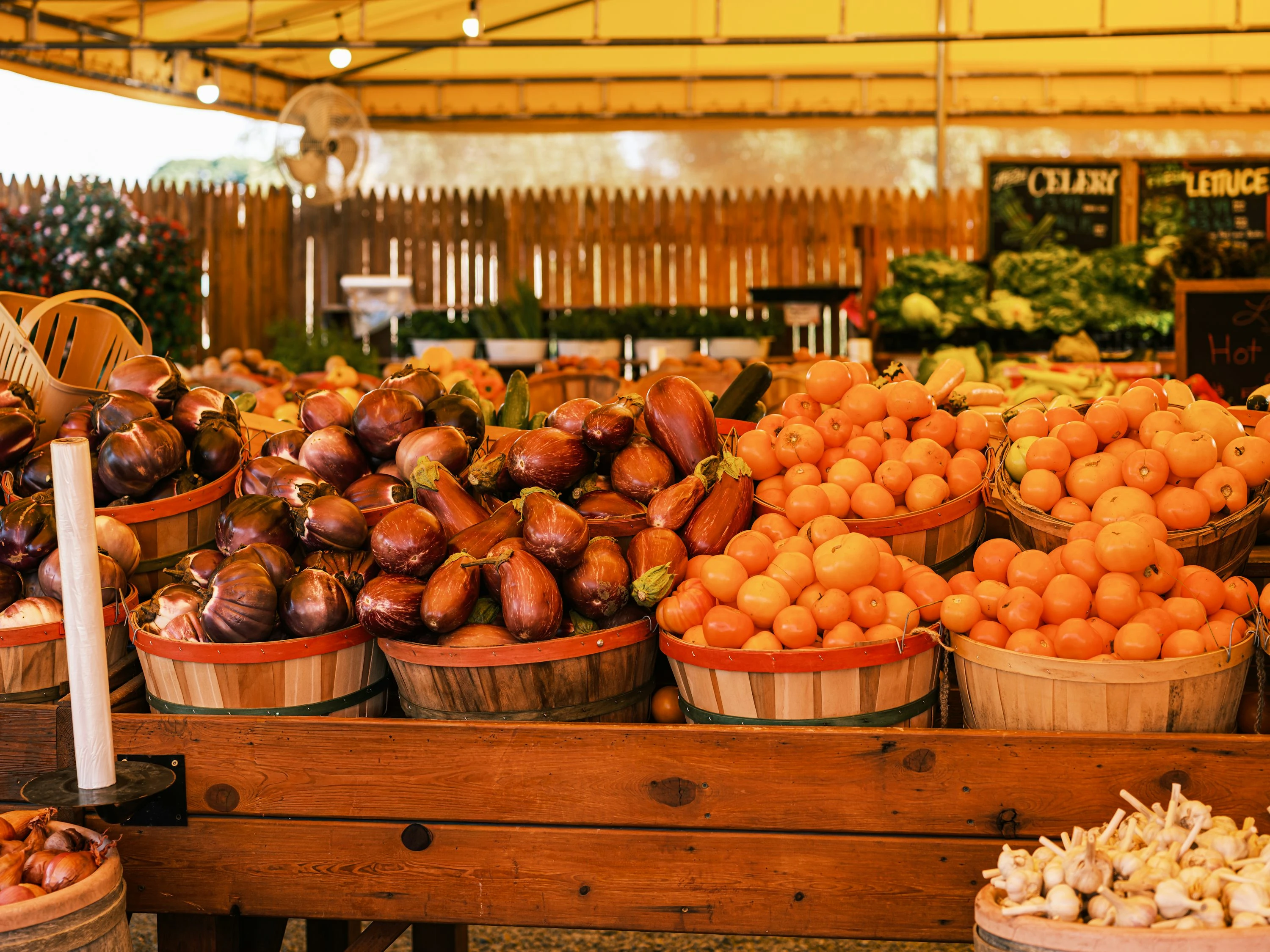

Fresh produce can feel like the most unpredictable part of your grocery budget. One week strawberries are affordable; the next week they look like a luxury item. That is why seasonal food apps are useful: they help you buy what is abundant, discounted, local, near-date, or rescued before it goes to waste.
The bigger picture matters too. The USDA says, “In the United States, food waste is estimated at between 30-40 percent of the food supply” (USDA). ReFED also reports that in 2024, the U.S. let 29% of its 240 million tons of food supply go unsold or uneaten (ReFED). For families and singles watching every dollar, that waste can become an opportunity: apps can point you toward produce that stores need to move, neighbors want to share, or farms and suppliers sell at a discount.
At the same time, USDA’s latest Food Price Outlook predicts fresh vegetable prices will rise 4.8% in 2026 (USDA ERS). So even small produce savings can add up if you shop weekly.
How seasonal food apps help you save on produce
Seasonal food apps work in a few different ways:
- They show what fruits and vegetables are in season near you.
- They alert you to discounted produce boxes or near-date groceries.
- They connect you with surplus food from stores, cafes, or neighbors.
- They help you plan meals around what is cheap now instead of what sounds good in the moment.
- They reduce impulse spending by making your produce list more flexible.
The basic idea is simple: when produce is in season or overstocked, there is usually more of it available. That can mean lower prices, better flavor, and less chance of buying something expensive that spoils before you use it.
In my hands-on comparison, the best results came from using these apps before making a shopping list, not while standing in the store. If you already know that cabbage, apples, zucchini, or oranges are the best-value picks this week, you can build meals around them instead of forcing a recipe that needs pricey out-of-season ingredients.
1. Seasonal Food Guide: Best for knowing what is actually in season
Seasonal Food Guide is the most direct seasonal produce app on this list. It lets you search what is in season by U.S. state and time of year. The app includes information on 140+ fruits, vegetables, legumes, nuts, and herbs, and its listing says the seasonality data is based on sources including the USDA, NRDC, state agriculture extension offices, and state departments of agriculture (App Store).
When I tested it, I liked it most as a planning tool. It does not give you coupons, but it helps you avoid buying produce at the wrong time. That is useful because extension services commonly recommend shopping in season to reduce costs; University of Maryland Extension notes that produce in season “can cost less” (University of Maryland Extension).
Best for: planning cheap produce before you shop.
How to use it for savings:
- Check your state before writing your grocery list.
- Pick 3-5 seasonal vegetables for the week.
- Compare those items with your local store flyer.
- Freeze extras if you find a strong deal.
Pros:
- Free and easy to use.
- Great for meal planning.
- Covers a wide range of produce.
- Helps you avoid out-of-season splurges.
Cons:
- No direct discounts or cashback.
- U.S.-focused.
- Local weather and supply issues can still affect prices.
2. Flashfood: Best for discounted produce boxes
Flashfood partners with grocery stores to sell food nearing its best-by date through the app. Its help center says items are listed at up to 50% off (Flashfood Help Center). The app is especially useful for mixed produce boxes, which can include fruits and vegetables that need to be used quickly.
When I checked the app flow, it felt closer to grocery shopping than coupon hunting. You browse nearby stores, pay in the app, then pick up in store. That makes it practical if the pickup location is already near your normal route.
Flashfood also reflects a current trend: grocers are using apps to sell surplus perishables instead of relying only on yellow discount stickers. The company says shoppers can find fresh produce, meat, and more at up to 50% off (Flashfood).
Best for: families who cook often and can use produce quickly.
How to use it for savings:
- Search for produce boxes first.
- Check photos and descriptions carefully.
- Plan flexible meals like soups, stir-fries, roasted vegetables, smoothies, and pasta sauces.
- Avoid buying more than you can prep within a few days.
Pros:
- Strong discounts on produce and other perishables.
- You see what you are buying before checkout.
- Good for batch cooking.
- Same-day pickup can be convenient.
Cons:
- Availability depends heavily on nearby partner stores.
- Produce quality varies by store.
- Some items may need to be eaten or frozen quickly.
- Pickup is not always worth it if the store is far away.
3. Too Good To Go: Best for surprise grocery bags
Too Good To Go connects you with stores, bakeries, cafes, restaurants, and grocers that have surplus food. The company says users can buy leftover food from local businesses at “half of the price or less” (Too Good To Go).
For produce, the value depends on your area. Some grocery stores offer ingredient or produce bags, while many listings are bakery or prepared-food bags. The app became more relevant for grocery shoppers after Whole Foods Market expanded its Too Good To Go partnership to more than 450 U.S. stores in 2024 (Grocery Dive).
When I tested the browsing experience, the main tradeoff was uncertainty. You often do not know exactly what is in the bag. That can be fun if you are flexible, but annoying if you need specific produce for school lunches or meal prep.
Best for: flexible shoppers who live near participating stores.
How to use it for savings:
- Filter for grocery stores rather than only restaurants.
- Look for produce, grocery, or ingredient bags.
- Reserve early, because popular bags can sell out quickly.
- Treat it as bonus food, not your whole weekly produce plan.
Pros:
- Big potential savings.
- Good for reducing food waste.
- Works well in cities and dense neighborhoods.
- Useful for prepared food, bakery items, and sometimes produce.
Cons:
- Surprise bags can be unpredictable.
- Pickup windows may be inconvenient.
- Produce options vary widely.
- Not ideal if you need exact ingredients.
4. Olio: Best for free local food sharing
Olio is different because it is built around community sharing. People and volunteers list food that would otherwise go unused, and neighbors can request it. Olio says its community has shared 140 million meals and completed 63 million neighbor pickups since it began (Olio).
For produce savings, Olio is best when you are open-minded. You might find garden surplus, pantry clear-outs, event leftovers, or food rescued by volunteers from local businesses. It is especially useful for singles who only need small amounts, because you can sometimes pick up a few items instead of buying a full bag.
When I tested the app experience, it felt more social than commercial. You need to message, arrange pickup, and be reliable. That extra step is worth it when listings are close, but it is less convenient than buying from a store app.
Best for: people in active neighborhoods who do not mind coordinating pickup.
How to use it for savings:
- Check listings in the evening, when surplus food is more likely.
- Only request food you can collect on time.
- Use good judgment with freshness.
- Share your own extra produce when you overbuy.
Pros:
- Food listings are often free.
- Good for small households.
- Reduces household and retail waste.
- Strong community angle.
Cons:
- Availability depends on your local user base.
- Pickup coordination takes effort.
- Quality and quantity vary.
- Not a reliable full grocery solution.
5. Misfits Market / Imperfect Foods: Best for delivered “imperfect” groceries
Misfits Market and Imperfect Foods now operate under the Misfits Market umbrella. The service delivers produce and groceries, including rescued and imperfect items, to many parts of the U.S. Its location page says it delivers to nearly every ZIP code in the contiguous United States (Misfits Market).
The Imperfect Foods app listing says shoppers can build orders from 700+ items, including organic produce and pantry staples, with items “up to 30% off grocery store prices” (Google Play).
When I tested the shopping logic, this felt less like a bargain-bin app and more like an online grocery store with produce deals. It is useful if you already buy organic produce or want delivery, but it may not beat a discount grocer, ethnic market, or in-season farmers market every week.
Best for: delivery shoppers who want produce without making another store trip.
How to use it for savings:
- Compare unit prices with your regular store.
- Focus on produce you already buy.
- Watch delivery fees and minimum order requirements.
- Skip novelty items that make the box more expensive.
Pros:
- Convenient delivery.
- Good selection beyond produce.
- Useful for organic and specialty groceries.
- Can reduce trips to the store.
Cons:
- Delivery fees can reduce savings.
- Not always cheaper than local sales.
- You may need to meet order minimums.
- Produce condition can vary by shipment.
Current trends: why these apps are getting more useful
Seasonal food apps are part of a bigger shift in grocery shopping. Stores, food brands, and shoppers are all trying to solve the same problem: fresh food is expensive, but perishables are also easy to waste.
A few trends stand out:
- Retailers are digitizing markdowns. Apps like Flashfood turn near-date produce into searchable deals.
- Surplus food is going mainstream. Too Good To Go’s Whole Foods expansion shows that food rescue apps are no longer niche.
- Shoppers want flexible savings. Instead of clipping coupons for packaged snacks, budget-conscious shoppers are looking for discounts on fresh fruit, vegetables, meat, and dairy.
- Food waste data is pushing change. ReFED estimates that more than 80% of surplus food comes from perishables, including fruits and vegetables, meat, dairy, seafood, deli items, bread, and bakery products (ReFED).
- Seasonal planning is becoming a budget habit. Apps that show what is in season help you shop around abundance instead of cravings.
A simple app stack for cheaper produce
You do not need all five apps every day. The most practical setup is:
- Use Seasonal Food Guide before making your weekly list.
- Check Flashfood for produce boxes near your normal grocery route.
- Use Too Good To Go when grocery or produce bags are available nearby.
- Open Olio when you are flexible and can collect locally.
- Use Misfits Market / Imperfect Foods when delivery saves time or beats your local prices.
The main rule is to stay flexible. Seasonal produce savings work best when you think in categories instead of exact ingredients. If broccoli is expensive but cabbage is cheap, make slaw, stir-fry, soup, or roasted wedges. If berries are pricey but apples are in season, switch the snack plan.
Quick pros and cons comparison
| App | Best use | Biggest saving opportunity | Main drawback |
|---|---|---|---|
| Seasonal Food Guide | Planning seasonal produce | Avoiding out-of-season buys | No direct discounts |
| Flashfood | Discount grocery pickup | Up to 50% off near-date items | Store availability varies |
| Too Good To Go | Surprise surplus bags | Half price or less | Contents can be unpredictable |
| Olio | Free neighbor food sharing | Free local food | Requires coordination |
| Misfits Market / Imperfect Foods | Delivered produce and groceries | Up to 30% off listed items | Fees and minimums can reduce savings |
Final thoughts
Saving on produce with seasonal food apps is less about chasing every deal and more about changing the order of decisions. Instead of choosing recipes first and paying whatever the store charges, you check what is seasonal, discounted, rescued, or shared nearby, then build meals around that.
For families, the biggest wins usually come from produce boxes, batch cooking, and freezing extras. For singles, the best savings often come from smaller surprise bags, local sharing, and avoiding bulk produce that spoils before it gets eaten.
References
- USDA: Food Loss and Waste
- USDA ERS: Food Price Outlook Summary Findings
- ReFED: Food Waste Data, Causes & Impacts
- Seasonal Food Guide on the App Store
- University of Maryland Extension: Plan, Shop and Eat Smart
- Flashfood: Official Website
- Flashfood Help Center: What is Flashfood?
- Too Good To Go: How the App Works
- Grocery Dive: Whole Foods and Too Good To Go Partnership
- Olio: Our Impact
- Misfits Market: Delivery Locations
- Imperfect Foods App on Google Play